When the first team in a company starts using DocReveal, things are simple: one workspace, a handful of people, their documents. Then it spreads. Accounts payable, finance, legal, logistics, HR, sales – every team has its own documents and its own way of working.
Sooner or later, the IT department asks the obvious questions. Where does all of this run? Who keeps it in order? And how do we look after twelve workspaces without chasing twelve teams?
Our new video guide, One Admin, Every Workspace, answers them with one ordinary morning at Keldmoor, an industrial supplier. It runs about six and a half minutes, you can watch it at the top of this page, and it follows Theo, who leads the IT team, through Admin – the app that looks after all of Keldmoor’s workspaces.
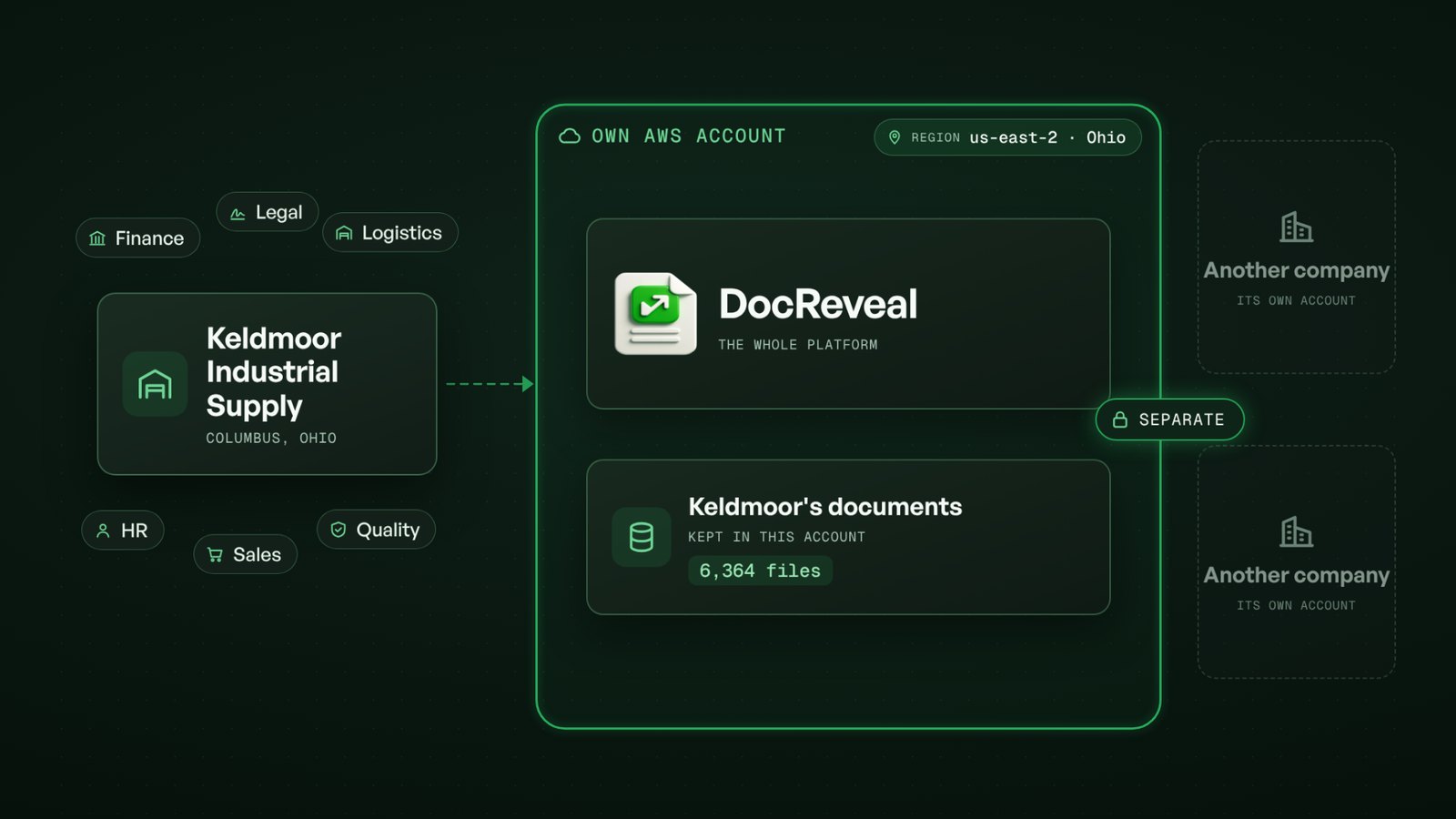
Your own DocReveal, in your own AWS account
Some companies want DocReveal entirely to themselves. For them, DocReveal runs in an environment of their own: in the company’s own AWS account, in the AWS region it chooses.
The whole platform runs there, and the company’s documents are kept there. Nothing is shared with other DocReveal customers. For the IT, legal and security teams, that settles the first question before anyone asks it.
A workspace for every team
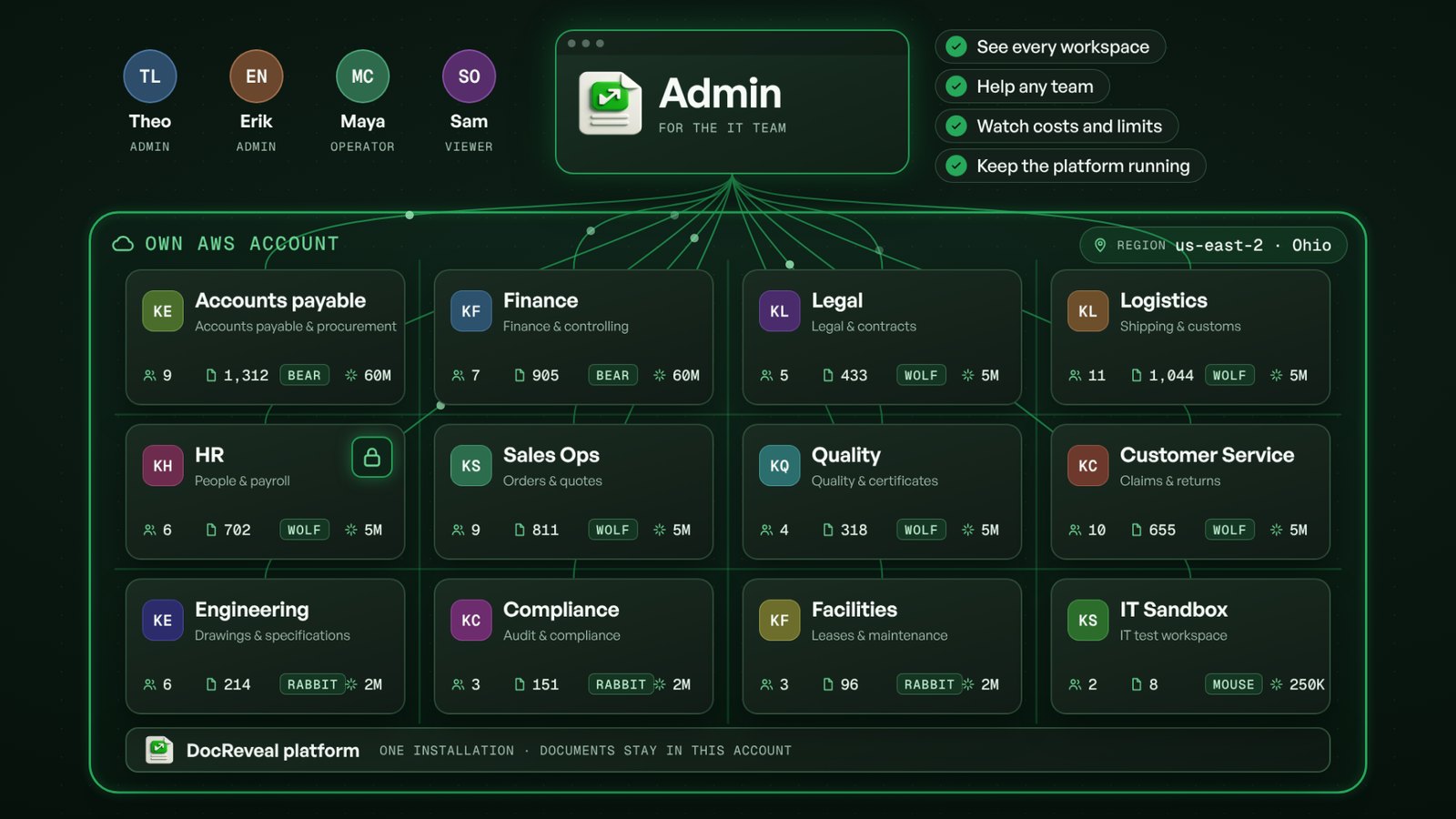
Inside that environment, every team gets a workspace of its own. At Keldmoor there are twelve, from accounts payable to an IT sandbox. Each has its own people, its own documents, its own plan and its own AI budget.
The teams stay apart. HR’s payroll files are for HR only, and the legal team’s contract drafts stay with the legal team. Each team works in DocReveal the way it needs to, without stepping on anyone else’s toes.
One app for the IT team: Admin
Twelve workspaces need someone to look after them. That is what Admin is for: one app that sits above all the workspaces and gives the IT team the whole picture in one place.
In Admin, a workspace is called a tenant. Same thing, different word – one tenant per team.
Here is what each part of Admin is for, in the order Theo uses it in the video:
- Overview – how all the workspaces are doing at a glance: which were active this week, how much was processed in the last day, and which need attention. Every number opens the list behind it.
- Tenants – every workspace in one list, with its plan, health, AI use and last activity. Filter it, act on several workspaces at once, or open a ready-made segment such as workspaces near their AI limit. Open one, and everything about that team is on one screen. In the video, Sales Ops has used 93 percent of its monthly AI tokens in the quarter-end rush; Theo adds an AI pack until November 1, with a reason and the workspace name typed to confirm. The limit doubles, and the team carries on.
- Pipelines & Runs – what failed, in which workspace and why. A scanned bill of lading at Logistics stopped on a temporary AI error; a rerun usually fixes that, so Theo starts one – again with a short reason.
- Notifications – tell every team at once. An in-app announcement and an e-mail about Saturday’s maintenance, a preview of what people will see, a test to himself first – then the send to 75 people in 12 workspaces.
- Billing – what the workspaces pay: plans, prices and renewal dates, and whether anything is waiting to be collected.
- Issues – requests for help from every workspace in one queue: who asked, from which team, how urgent, and where it stands.
- Domains ops – the automation the teams build themselves, such as integrations, connectors, agents and rules, watched across all workspaces. Anything stuck or failing shows up in one queue.
- Platform – DocReveal itself: whether everything is running, what has changed and what it costs, from this month’s AWS bill and forecast to the AI cost of each workspace – plus a watch on keys, sign-ins and blocked requests.
- Operators & Audit – who can work in Admin and in which role, all with two-factor sign-in. And every action on record: who did what, when and why.
Why the audit trail matters
Admin can change a lot, so it is built to be accountable. Changes that matter ask for a short reason. The riskiest ones also ask you to type something before anything happens – the name of the workspace, or the number of people a message will reach.
All of it lands in the audit log. At the end of the video, Theo looks back at his own morning: the notice, the rerun and the AI pack, each with who, when and why – and for the AI pack, exactly what changed, before and after.
What this means for you
- Your own environment. DocReveal can run in your own AWS account, in the region you choose, separate from every other customer.
- Room for every team. Each team gets a workspace with its own people, documents, plan and AI budget – and the teams stay apart.
- One place for IT. Health, help requests, costs and changes for all workspaces live in Admin, so the IT team does not have to chase twelve teams for answers.
- Help in a few clicks. More AI for a busy team, a rerun for a stuck document or a notice to everyone is a short, guided step.
- Nothing happens silently. Every action is recorded with who, when and why.
Keldmoor, its teams and its people are fictional demo data; the screens are Admin itself.
One company. Its own AWS account. A workspace for every team – and one app to run them all.